Unit Testing with Wing Pro
"Wing Pro has allowed us to improve the quality and reliability of
the Python components in our application."
-- Xavier Spriet, Netmon Inc
Wing Pro supports unit testing with the unittest, pytest, doctest, nose, and Django test frameworks. Testing is tightly integrated with the debugger, making interactive test-driven development a snap.
Manage and Run Unit Tests
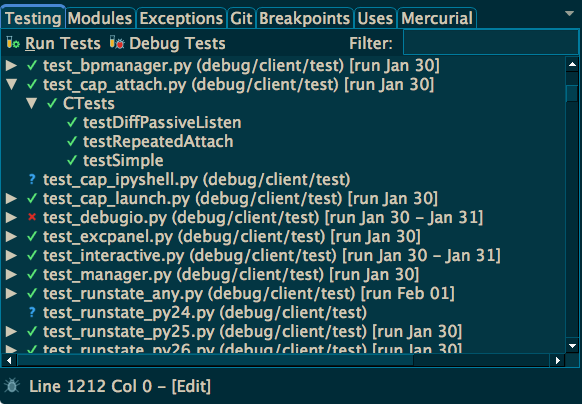
Unit tests can be selected file by file or with a wild card or regular expression applied to project files. Tests may be run all at once, by file, one by one from the editor, from a filtered subset, or if previously failed. Results are displayed in the Testing tool, including date and time run, test output, and any exceptions raised by the test.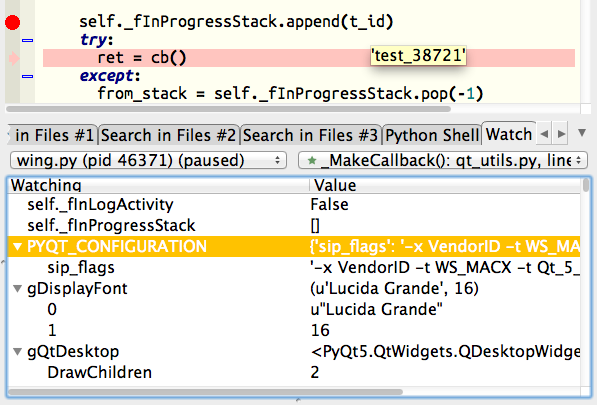
Debug Unit Tests
Tests can be debugged using all of Wing's powerful debugging features. By defining tests and running to a breakpoint, new code can be written and tested in the context of the live runtime state, often with very short edit/test turnaround.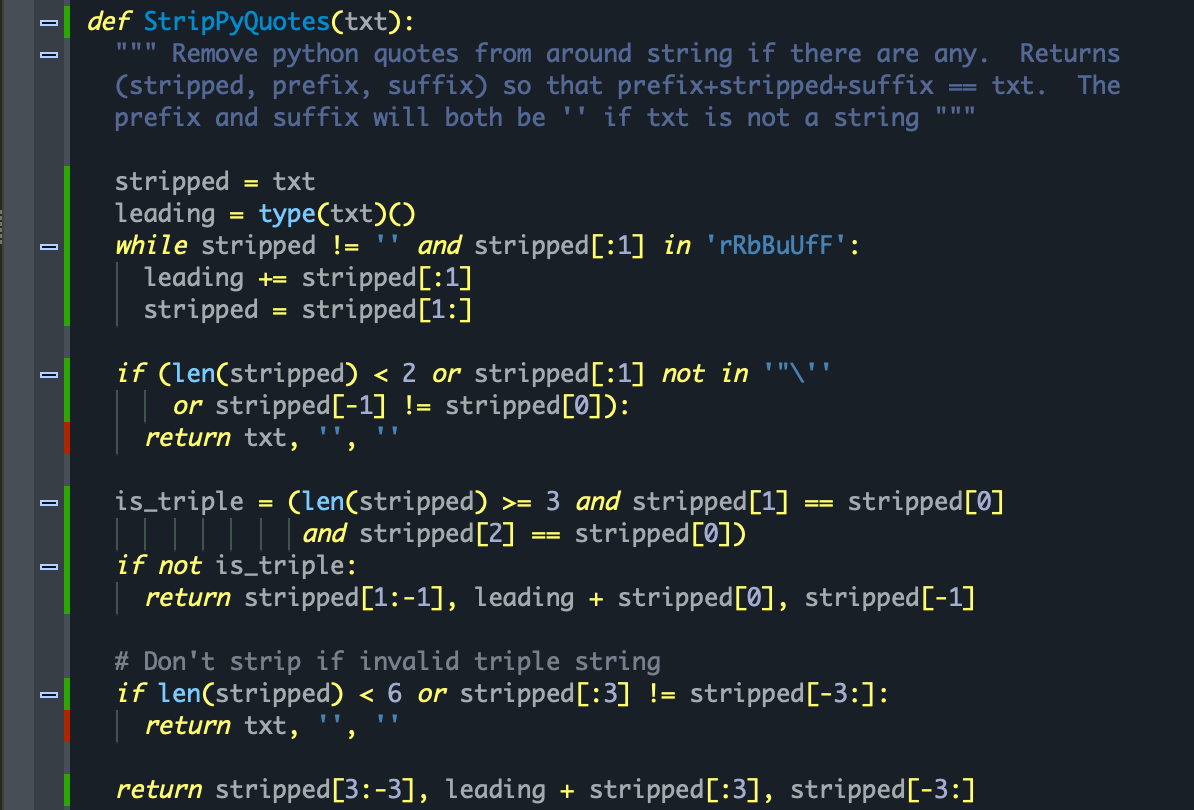
Code Coverage Driven Testing
Wing can track and display code coverage for your unit tests, so that you know how well your tests are exercising your code. Coverage data is also used to determine which previously obtained test results are invalidated by edits. This makes it easy to re-run only those tests affected by changes you are making to your code.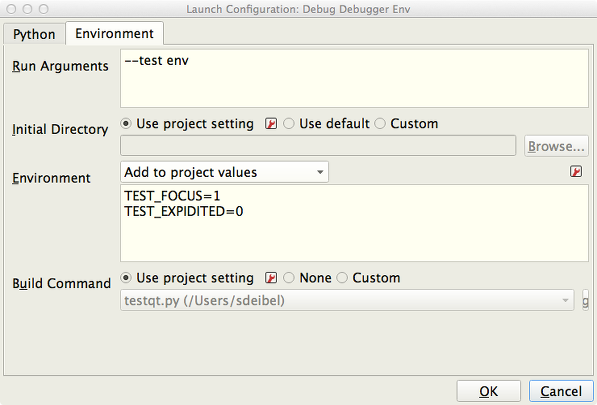
Flexible Test Invocation
Launch Configurations can be used to run and debug tests in a custom environment. To speed up test execution, Wing provides options for running multiple testing processes concurrently, either by module or package, and for running unit tests outside of Wing and importing the results. Test summaries can be extracted and shared.